This guide explains how to evaluate an OpenEMR Demo for your healthcare organization, focusing on workflow fit, security posture, and implementation planning. Objectively, OpenEMR is an open-source electronic medical record system used for clinical documentation, scheduling, and reporting. The article covers evaluation criteria, typical integration considerations, and practical readiness steps.
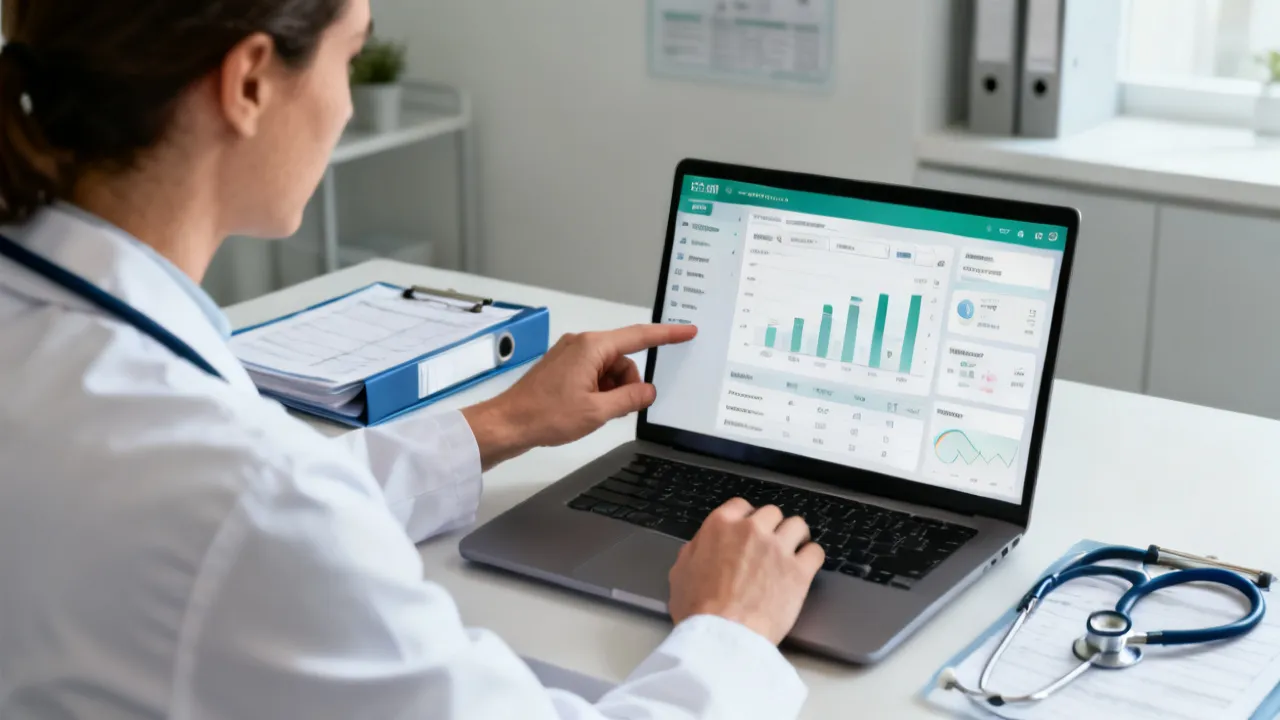
An OpenEMR Demo is very valuable when it helps you test clinical workflows end-to-end—documentation, scheduling, patient summaries, and reporting—rather than just viewing screens. For healthcare administrators, clinical leads, and IT teams, the goal is to confirm that the platform’s structure aligns with your care model, governance requirements, and interoperability expectations.
In practical terms, a strong demo session should answer: What does day-to-day charting feel like? How quickly can staff locate patient history? Can roles and permissions be configured to match your organizational hierarchy? Does the system support the documentation granularity your clinicians expect? If you cannot evaluate these elements during your Openemr Demo, the demo is too shallow to inform adoption decisions.
When evaluated properly, a demo becomes more than a vendor presentation; it becomes an operational stress test of fit, usability, and governance readiness. In the context of EMR adoption, “fit” means the tool supports how your organization actually delivers care: how appointments are booked, how clinicians document findings, how staff handle follow-ups, and how administrative teams retrieve data for quality oversight. “Usability” means staff can complete tasks quickly and correctly under real time constraints. “Governance readiness” means the system supports auditability, role boundaries, data integrity, and secure configuration. “Interoperability readiness” means it can connect to—or at least be prepared to connect to—other systems such as labs, imaging, immunization registries, and identity providers.
To make this happen, stakeholders should treat the demo like a mini go-live rehearsal: define the tasks your users must perform, verify data behaviors, and validate that system outputs (summaries, reports, audit trails) match what you need for both clinical operations and compliance.
When you request an Openemr Demo, you are usually offered a guided walkthrough of core modules. However, the assessment should move beyond feature recognition and into operational verification. From an industry-expert perspective, the top demos include hands-on tasks—such as creating a patient encounter, importing or verifying demographics, documenting vitals, and generating a clinical summary—so stakeholders can judge usability and data quality impacts.
A useful demo is not measured by how polished it looks, but by how many real tasks it can complete with minimal friction. For example, “patient search” is not valuable if it only works when everything is perfectly entered. You need to see how search behaves with partial names, alternate spellings, different phone number formats, or variations in insurance-related identifiers. Similarly, documentation needs to be tested not just for completeness (can you enter a note?) but for workflow efficiency (can you enter it without excessive clicks, disruptions, or confusing field prompts?), and for clinical meaning (does the output read naturally as a coherent narrative and structured record?).
At minimum, your evaluation should probe the following capabilities:
Because EMR adoption is as much about organizational process as technology, your evaluation team should include at least one clinical champion and one compliance/IT representative—not only a software evaluator. The clinical champion validates clinical usability, while the IT/compliance representative ensures the system can be secured, managed, audited, and integrated in line with policy and risk tolerances. In many organizations, the most valuable feedback comes when these perspectives are combined in the same session: clinicians point out documentation friction; IT points out what that friction means for configuration and audit trails; compliance points out what it means for access review and record traceability.
To strengthen the evaluation, ask the vendor to allow the evaluation team to drive the demo: let the clinical lead enter an encounter, let a receptionist schedule a visit, let an administrator test role restrictions, and let a quality analyst attempt a report based on realistic data fields. When the vendor only performs the steps, the test may demonstrate what the software can do rather than how your staff will do it.
Healthcare providers look for EMR tools for reasons such as improving continuity of care, strengthening documentation consistency, and creating more reliable clinical reporting. An OpenEMR Demo is often used to compare alternatives, validate usability for busy clinical workflows, and reduce the risk of misalignment during procurement or rollout planning.
Objectively, OpenEMR is used for electronic medical records management, supporting clinical documentation and administrative workflows. Demos help stakeholders understand how the system organizes data and how clinicians experience record retrieval during time-sensitive visits.
However, “why” matters because it shapes how you should evaluate. If your primary driver is documentation standardization, you should emphasize note structures, problem list behaviors, medication/allergy capture, and whether documentation outputs are consistent across clinicians. If your primary driver is operational efficiency, you should emphasize patient search, scheduling workflows, and the speed of retrieving information during appointments. If your primary driver is quality reporting, you should emphasize reporting capabilities, data extraction behaviors, and whether fields are structured or consistently captured in a way that makes reporting meaningful.
In practice, organizations request an OpenEMR Demo because they want to avoid expensive missteps: selecting an EMR that clinicians dislike, selecting one that cannot meet compliance requirements, or discovering too late that integration assumptions (for labs, imaging, billing, or identity) are too complex. A demo is your earliest chance to surface these risk areas while changes are still possible and low-cost.
You may encounter different pricing models depending on hosting approach, implementation scope, and whether you engage a specific supplier for services. While prices vary widely by region and project requirements, a responsible evaluation avoids assuming a single universal cost. Instead, treat your Openemr Demo as the start of scoping so you can request a written proposal that distinguishes software licensing (where applicable), implementation services, integration work, training, and ongoing support.
From an industry perspective, supplier selection should emphasize:
If your organization has a specific location focus—such as operating in an area with known healthcare delivery patterns—use the demo to mimic local workflows. For example, clinics serving high walk-in volumes may require appointment flexibility and fast patient lookup. Use culturally familiar terms in training (e.g., how staff in your setting refer to appointment types) so clinicians can test the system in familiar language.
It is also useful to ask for a “demo-to-implementation” bridge: how the vendor expects to convert what you see into your actual configuration. For example, if the demo shows a sample appointment type and a sample note template, ask how those map to your existing templates or documentation policies. If the demo shows a simple role setup, ask how complex your role hierarchy can be and how it will be implemented in a way that supports least-privilege access and auditability.
Because pricing and delivery models often differ, ensure your evaluation captures not only the cost, but what you are buying. When vendors quote “implementation,” confirm whether that includes workflow mapping, template configuration, data migration assistance, integration testing, training development, and go-live support. When vendors quote “support,” confirm whether it includes business-hour coverage, emergency coverage, upgrade scheduling, and security patch timelines.
To avoid a “show-and-tell” outcome, define success criteria before the demo. A good framework is to test tasks that matter under real conditions—like locating a patient’s recent history within seconds, documenting an encounter legibly, and producing a report that leadership can actually interpret.
Consider scoring each domain using agreed-upon thresholds:
To make scoring more consistent across stakeholders, define what “good” means for each category. For instance, usability could include: number of clicks to locate a patient’s medication list; time to complete a structured vitals entry; and whether clinicians can complete documentation without interrupting the visit flow. Workflow completeness could include: can the system transition from scheduling to encounter documentation to closing the visit and scheduling follow-ups or orders? Data integrity could include: does the system enforce appropriate date formats, prevents invalid combinations of fields, and ensures consistent allergy and medication records across visits?
Operational visibility may involve verifying whether an administrator can see who created or modified records and when. Security controls may include verifying role boundaries for viewing sensitive information, editing allergies or medications, or accessing certain reports. Reporting readiness may include verifying that reports can be filtered reliably, that the report outputs align with governance metrics, and that the report generation process does not require manual post-processing that would be unsustainable.
Finally, because the demo is one short session, you should explicitly validate whether the system supports your long-term operating model. Ask how upgrades occur, how customization is managed, whether your organization can maintain configurations without being locked into vendor work for every change, and how incidents are handled (including what happens if an audit log is missing or an integration fails).
Below is a structured supplement to help you translate a demo into an adoption decision. The table does not provide links, and it avoids speculative pricing figures.
| Evaluation Component | What to Test in the Openemr Demo | Why It Matters | Typical Requirement/Condition |
|---|---|---|---|
| Clinical Documentation | Create an encounter and document vitals, notes, and clinical history visibility | Impacts clinician efficiency and record quality | Include at least one representative visit type (e.g., follow-up) |
| Scheduling & Patient Flow | Search patient, schedule or view appointments, complete visit flow | Reduces bottlenecks at front desk and clinical rooms | Use your real appointment categories and staffing roles |
| Permissions & Auditability | Verify role access and key audit behaviors during actions | Supports governance and accountability | Map roles to your internal policy model before the demo |
| Reporting Readiness | Generate a practical report for quality review (not just a demo artifact) | Enables measurable oversight | Confirm report fields align with your quality indicators |
| Integration Approach | Discuss how external systems are connected and validated | Affects continuity of data across your environment | Provide interface inventory and integration ownership responsibilities |
Use this sequence to ensure the demo generates actionable evidence for stakeholders.
To make the steps above more effective, consider adding “evidence capture” to the process. Assign one person during the demo to record time-to-complete metrics (for a defined set of tasks), record user confusion points, and capture screenshots or exported outputs for the evaluation pack. Evidence capture is especially helpful when you need to align stakeholders later—clinicians may remember the feel of the workflow; administrators may remember the system’s configuration constraints. A shared set of notes and artifacts helps prevent mismatched perceptions from derailing decision-making.
Also, plan to test the less visible aspects of operation. Many demos focus on the screens, but implementation success depends on the system’s behavior under real operational conditions: what happens when a user attempts to save incomplete information; how the system handles missing fields; whether it supports validation messages that make sense; and whether it logs changes in a way that can support audit needs. Ask the vendor to demonstrate at least one scenario where validation triggers or where a staff member is prevented from accessing certain information due to role rules.
Implementing an EMR is constrained by governance, integration complexity, and operational readiness. During or immediately after your OpenEMR Demo, request clarity on the following:
To deepen this evaluation, also clarify the “operating reality” around these topics:
From a healthcare IT perspective, EMR evaluations are about reducing operational risk. A demo should surface usability issues that can slow clinicians, governance issues that can create audit gaps, and integration issues that can disrupt care continuity. In other words, the decision is rarely about whether the software can display data; it’s about how reliably it supports clinical and administrative workflows under time pressure.
Risk management extends beyond patient safety. It includes staff safety (less cognitive load, fewer documentation errors), operational safety (reduced scheduling errors and lost follow-ups), financial safety (correct billing capture in environments where billing is connected), and compliance safety (ability to respond to audits and demonstrate control over access and record modifications).
To ground your evaluation in trusted guidance, consider referencing general healthcare IT safety and security principles from established bodies such as the U.S. Department of Health & Human Services (HHS) Office for Civil Rights for privacy and security compliance concepts, and resources from NIST (National Institute of Standards and Technology) for cybersecurity risk management practices. These sources do not replace vendor due diligence, but they provide a baseline for governance expectations.
In practical terms, you can translate these principles into demo questions:
Even if the vendor cannot answer every detail during the demo, the evaluation should confirm whether they have a mature process and can provide documentation or evidence afterward.
Different teams will focus on different strengths during the Openemr Demo. Here is how to structure feedback so the evaluation remains objective.
To improve the quality of feedback, use structured prompts. Instead of asking “Do you like it?”, ask “Can you complete this task in one continuous flow?” or “When you search for this patient, what do you expect to see next?” For compliance teams, ask “What evidence can we produce for an audit that shows who accessed or changed data?” For IT, ask “Which configuration items are vendor-managed vs. customer-managed, and how are changes tested?”
Consider setting up a feedback rubric during the demo itself. Each stakeholder can score their categories and note “evidence” such as time-to-complete, number of clicks, or specific screens that created confusion. After the demo, the team can compare results and determine whether negative feedback is about preference or a measurable operational gap.
Even a well-run session can lead to misleading impressions. Watch for these pitfalls:
Additional pitfalls worth calling out include:
Focus on workflow completeness (scheduling through encounter documentation), role-based permissions, realistic patient search and documentation speed, and the ability to produce practical reports. The strongest demos include hands-on tasks with sample scenarios rather than only walkthrough slides.
To sharpen this further, define a handful of “critical tasks” and “stress conditions.” Critical tasks might include: opening a patient chart, reviewing recent medications and allergies, creating a follow-up encounter note, documenting vitals, ordering or recording a clinical action, and generating a visit summary. Stress conditions might include: trying to document with missing optional fields, switching between roles mid-session, and running a report that filters by date ranges or clinical attributes. Testing under these conditions helps reveal whether the system supports real variability.
A demo cannot guarantee success, but it can validate fit and reveal major gaps early. The top approach is to use the demo to test your highest-priority tasks and then request a written implementation plan that covers data migration, training, security configuration, and integration testing.
To make the demo evidence stronger, ask for a follow-up session if the initial demo cannot cover everything. Many organizations schedule a second session specifically focused on a different stakeholder group—e.g., a clinician-only session focused on documentation templates, and an IT/compliance session focused on configuration, access control, and auditability.
Instead of comparing a single figure, ask each supplier to provide a scope breakdown: implementation services, training, integration work, hosting/maintenance model, and support responsibilities. This makes comparisons more objective and reduces the risk of hidden costs.
Also evaluate “cost risk,” not just “cost.” For example, a lower upfront cost may shift effort into your internal team via configuration, data cleansing, or custom integration work. If you expect heavy integration demands, ask how the vendor handles complex interface testing and ongoing maintenance. If you expect frequent changes to documentation templates, ask how governance and update cycles are managed.
Define your user roles, representative visit types, required documentation elements, reporting expectations, and integration inventory (e.g., labs or imaging systems if applicable). This preparation ensures the demo exercises relevant parts of the system and produces evidence you can evaluate.
If you have regulatory or internal governance requirements, translate them into functional tests. For example, if you need audit logs that show who changed allergy records and when, ask to see that exact scenario. If you need specific reporting metrics, ask to see the report output using fields that map to your internal quality indicators.
Yes. Ask how access control works, how audit trails are maintained, how backups are handled, and how updates and configuration hardening are performed. Also confirm how user access reviews will be scheduled in your operational model.
In addition, ask for practical evidence: can you see a sample audit entry after a role-restricted action? Can you demonstrate how permissions prevent access to sensitive patient data? Can you show how the system handles authentication and session control (especially if you use single sign-on)? Can you explain the workflow for removing user access when a staff member leaves or changes roles?
Use a scoring rubric aligned to your priorities and document evidence from test scenarios. Combine qualitative feedback from clinicians with operational findings from IT and compliance. Then compare results against your implementation readiness and integration constraints.
To make decisions less subjective, align stakeholders on a shared “minimum viable fit.” For example, you may set a baseline like: the system must support your required documentation fields; must enable role-based access control for your key user groups; must provide audit evidence sufficient for governance; and must generate at least one quality report using your defined fields without major manual steps. Anything below that threshold may disqualify a system regardless of usability preferences.
A well-structured OpenEMR Demo can clarify whether the system supports day-to-day clinical documentation, patient flow, and governance expectations. To make the evaluation meaningful, run the demo with realistic scenarios, test role-based behavior, and confirm that reporting and implementation planning are addressed with concrete, written details. When you approach the demo as a validation exercise—not a feature tour—you reduce adoption risk and improve the odds of a smooth transition for your staff and patients.
To conclude more concretely, ensure your final demo outputs include: (1) documented evidence of key task performance; (2) a mapped comparison between your required workflows and what the system supported; (3) a clear list of gaps with proposed remediation paths; (4) a documented implementation plan outline with responsibilities, timelines, and validation checkpoints; and (5) confirmation of security and audit behaviors aligned with your governance model. When you have these artifacts, the decision becomes grounded in evidence rather than impressions, and your organization can move into procurement and planning with greater confidence.
Finally, keep in mind that adoption success depends on change management as much as software configuration. Your demo should be the starting point for building internal readiness: train champions, define standardized documentation expectations, plan user access review processes, and prepare operational contingency workflows for early go-live. When the evaluation process is rigorous and inclusive, the demo becomes a practical step toward a reliable clinical environment rather than a one-time viewing event.
Striking the Perfect Balance: Navigating Premiums and Out-of-Pocket Expenses in Senior Insurance Plans

Explore the Tranquil Bliss of Idyllic Rural Retreats

How to Make Lasting Memories at Disneyland Attractions

Affordable Phones and Plans for Seniors

Affordable Full Mouth Dental Implants Near You

Unlock the Top Kept Secrets to Finding Your Ideal Dentist for Flawless Dental Implant Results!

Discovering Springdale Estates

Unveiling RS Sul Telecom Services

The Guide to Car Trading


Understanding the Concept of Ibiaeon
Dive into the groundbreaking concept of Ibiaeon, a theoretical model that combines technological advancements with philosophical perspectives. Ibiaeon represents a unique intersection where innovation meets ethical considerations, aiming to offer sustainable solutions for future societal challenges. This guide presents a deep analysis of the possibilities and implications associated with Ibiaeon.
Understanding the Sage Cte Platform
Sage Cte is a powerful software offering comprehensive solutions for businesses across various industries. This article delves into its capabilities, exploring its integration with different systems, cost implications, and the significance of choosing the right supplier. By understanding Sage Cte, businesses can make informed decisions for optimal operational efficiency and competitive advantage.
An In-Depth Look at Salesforce
Salesforce is a transformative cloud-based customer relationship management (CRM) platform that empowers businesses to streamline their sales, service, and marketing efforts. Known for its robust suite of tools and global reach, Salesforce has become an industry standard in CRM solutions, providing businesses with unparalleled insights and automation capabilities essential for growth and customer retention.
Seamless Integration of Sagepay and Salesforce
This guide highlights the integration of Sagepay with Salesforce, emphasizing the importance of harmonizing payment processing with customer relationship management. Sagepay offers secure online payment solutions, while Salesforce provides comprehensive CRM services, both popular among businesses seeking efficiency. Explore how they complement each other for enhanced business functionality.

Plansource BambooHR: Expert HR Platform Comparison Guide
Plansource BambooHR helps organizations standardize HR workflows with modern recruiting, onboarding, and people analytics. This guide explains what the keywords typically refer to in HR technology contexts, outlines how businesses evaluate these platforms, and provides an expert comparison framework so HR leaders can make informed sourcing decisions based on requirements, implementation scope, and total cost considerations.
Integrating Sagepay with Salesforce
Integrating Sagepay with Salesforce streamlines business operations by combining sophisticated CRM capabilities with a secure payment gateway. This fusion allows businesses to efficiently manage customer relations and transactions within one seamless framework. Sagepay ensures secure and swift payments, while Salesforce aids in comprehensive customer relationship management, enhancing overall operational productivity and customer satisfaction.
