This guide explains how to manage 1099 reporting responsibilities when using Square Payroll for independent contractors. It provides objective background on what a 1099 generally represents, how payroll-to-tax workflows are commonly structured, and why correct classification, records, and review matter. The article also includes a comparison table, a step-by-step approach, and practical conditions to support compliant reporting.
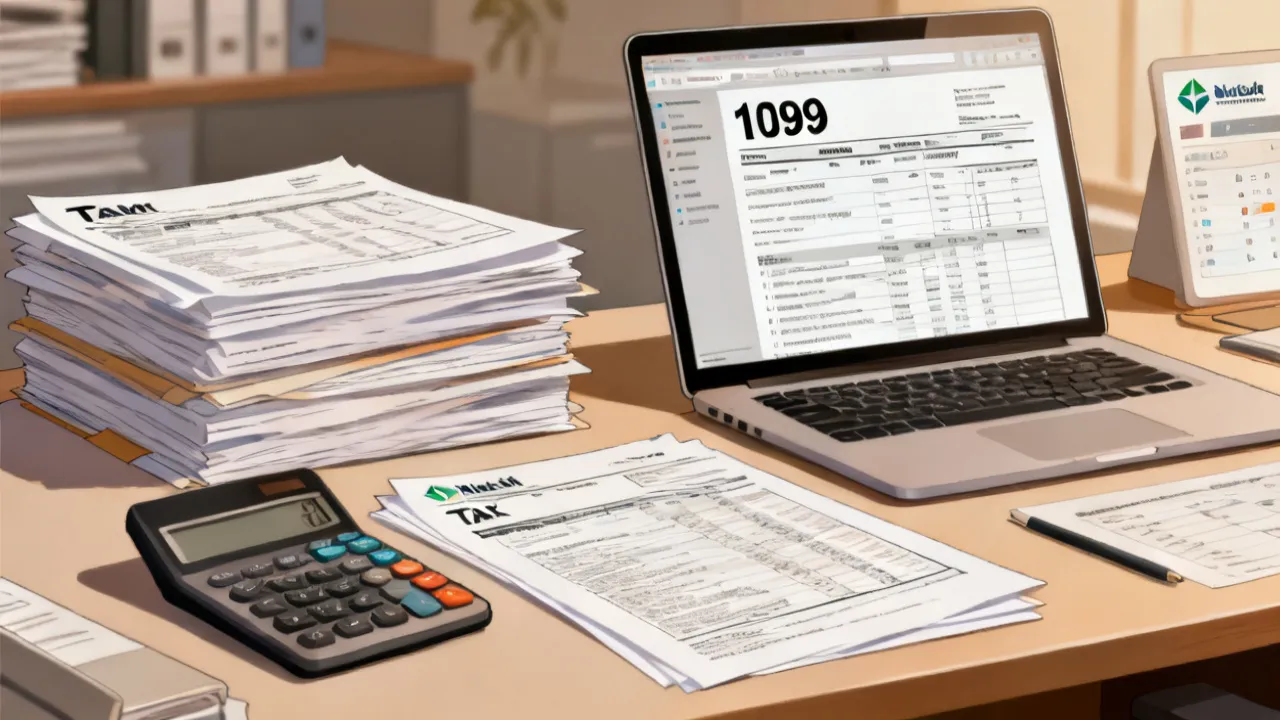
If you use Square Payroll 1099 processes to support contractor payments, your priority is ensuring proper contractor classification, data accuracy, and timely reporting. A well-run workflow reduces costly downstream issues like mismatched forms, missing recipient information, and avoidable compliance delays.
From an expert perspective, the “very important” part of 1099 work is not simply generating a form—it’s validating the inputs that determine who receives a statement, what payment categories are included, and how year-end records are reconciled before submission.
In practice, that means you need a repeatable set of controls that can survive real-world complexity: contractors change addresses, tax forms arrive at different times, payments are booked under multiple categories, and sometimes staff inherit the responsibility midstream. When those variables are handled with discipline, you gain something far more valuable than a clean export—you gain confidence that your 1099 reporting tells the correct story for the year.
Finally, remember that 1099 reporting isn’t just a “tax document.” It’s an information return system. That distinction matters because information returns depend on accurate identification, correct totals, and timely filing to support the matching process across payor and recipient records. If something is wrong, it typically becomes wrong in multiple places at once: in the filing record, in what the contractor sees, and in what the IRS receives and matches against.
The phrase Square Payroll 1099 typically refers to a payroll- or contractor-payments workflow where payments made to independent contractors are compiled and prepared for 1099 reporting. Even when the software handles parts of the process, the responsibility for correct tax reporting is still tied to the payor’s internal records, the correctness of contractor details, and compliance with applicable rules.
In objective terms, a 1099 form is used to report certain types of income paid to non-employees. While businesses often associate 1099 reporting with year-end paperwork, the underlying compliance work starts much earlier: during onboarding, during payment processing, and during ongoing recordkeeping.
When teams say “Square Payroll 1099,” they often mean more than one thing at once. It can refer to the practical use of a Square-based payments workflow (or Square-integrated contractor payments) to collect payee data and compile payments into a format suitable for a 1099 program. It can also refer to internal policies that decide which contractors are in-scope, what payment types count, and how exceptions are handled.
Because the phrase is widely used, it’s helpful to treat it as a placeholder for your overall 1099 readiness program rather than a single button or feature. The “program” includes the people process—who verifies data, who approves changes, and who reconciles totals—not just the output formatting.
Industry practitioners consistently emphasize that errors tend to originate before “forms time.” The very common friction points include:
When these problems surface late, they often require corrections, rework, and additional recipient communications—so an early audit of the process is frequently the highest-value action.
It also helps to think about how errors propagate. A minor data typo in a legal name can cause mismatches. A missing address field can delay delivery of a recipient statement (even if your filing is correct). A category mapping error can result in a total that is technically “from the system” yet substantively wrong. And if you discover these issues after the reporting period closes, you may face both technical fixes and operational cleanup—such as updating the ledger, re-extracting data, and reissuing corrected statements.
Correct data is not just accuracy for its own sake; it is accuracy for reconciliation. Most 1099 programs rely on consistent identifiers so contractors can match their own records, and so the IRS can match what it receives to what payors reported. Your workflow should therefore be built to ensure that the recipient details and totals remain consistent throughout the year, not just in the final export.
Very businesses that discuss Square Payroll 1099 are dealing with the broader topic of non-employee compensation reporting. In general, the U.S. tax system uses forms commonly referred to as “1099” to report certain payments made to individuals or entities that are not treated as employees.
To ensure your approach aligns with current requirements, it’s important to consult authoritative materials from the IRS. For example:
Source: Internal Revenue Service (IRS) guidance on information returns and nonemployee compensation reporting (see the IRS “Information Returns” and related publication materials for current filing rules and form instructions).
In operational terms, independent contractor reporting is less about the form label and more about the underlying relationship between payor and recipient. Your classification process—how you decide someone is a contractor and not an employee—sits upstream of any 1099 output. If classification decisions are inconsistent, your reporting outcomes will also be inconsistent.
Additionally, 1099 reporting is not necessarily “all or nothing.” Certain payment types may be required to be reported while others are not, and some reporting requirements depend on thresholds or the nature of the services performed and the type of payee. Even when the platform provides data, your inclusion rules must reflect the relevant IRS instructions applicable to the form you are preparing.
From an operations-and-compliance viewpoint, the very robust approach is to treat 1099 readiness as an end-to-end program rather than a last-week scramble. A mature program usually includes:
If you use software that supports Square Payroll 1099 workflows, you should still apply an internal review layer. Tools can compile and format—but they cannot fully replace compliance judgment and record verification.
Building a “1099-ready” program also means aligning your accounting and payee management processes. For example, if your accounting team posts contractor payments to multiple accounts—perhaps because of different service types, reimbursements, or time periods—your 1099 reporting logic needs to know which posting types roll into reporting totals and which do not. Without a clear mapping, your results may look “complete” but be incomplete or incorrect from a reporting perspective.
A strong program usually documents decisions and thresholds. Documentation can be as simple as a policy memo that states: which contractor statuses are in scope, what data sources are used for totals, how refunds are treated, and who approves exceptions. Even small companies benefit because this reduces the “tribal knowledge” problem—when one person leaves, the organization doesn’t lose the 1099 logic.
Finally, consider implementing “data health checks.” These are periodic reviews that catch issues early. For example, you might check monthly for missing tax IDs, verify address completeness for contractors who are active, and validate that contractor accounts haven’t been merged or altered in ways that could confuse reporting identity.
Businesses typically use payroll or payments platforms to centralize transaction data. In a 1099 context, the platform often helps with:
However, the correct final determination depends on your business’s classification practices and how your organization interprets applicable reporting categories. Even a clean export can still produce an incorrect outcome if the classification or included payment types do not match the reporting requirements.
It’s also useful to recognize that “Square Payroll 1099” outputs are only as reliable as the data pipeline that feeds them. Your payment records might be accurate at the transaction level, but a reporting-period extraction can fail if you change settings during the year, adjust time zones, reverse transactions, or apply refunds after initial booking.
Year-end reporting often introduces a second layer of complexity: reconciliation. That’s because your 1099 totals should reconcile to your internal payment records. If the platform’s totals differ from your ledger totals, you need to understand whether the difference is due to mapping logic, timing differences, currency conversions, reversals, or data omissions.
In addition, consider the human workflow behind the platform. Even with software, you still need someone accountable for exceptions. If you leave all review steps to the system, you risk missing data issues such as incomplete identity fields, outdated taxpayer IDs, or contractors incorrectly categorized as non-reportable due to stale metadata.
Before you generate or submit any 1099-related outputs, consider performing the following quality checks (these are general top practices aligned with typical information return workflows):
To make these checks more actionable, you can implement them as repeatable reports:
Another often-overlooked aspect is ensuring that updates to contractor details do not create duplicate records. For example, if a contractor changes their legal name but your system creates a new contractor profile instead of updating the existing one, your reporting program might split payments across two profiles, leading to totals that don’t match the recipient’s own expectations. A good data check will detect duplicates and ensure there is one reporting identity per contractor for the year.
Finally, you should plan for the possibility of late responses. Some contractors may not provide updated tax information right away. A disciplined workflow anticipates this by defining a cutoff date for “final data,” a process for requesting missing information, and a mechanism for handling those who do not respond.
The table below compares what many businesses treat as “software-assisted reporting” versus what still requires direct organizational control. It is intentionally practical and focused on conditions and requirements you can apply to your process.
| Area | Common Software-Assisted Output | Core Business Control (You Validate) | Conditions / Requirements |
|---|---|---|---|
| Contractor identity | Stored payee details used for reporting statements | Confirm identity fields are accurate and consistent across the year | Use documented onboarding data; maintain updates with dates and approvals |
| Payment totals | Aggregated totals by reporting period | Reconcile totals to source accounting entries | Have a reconciliation schedule before year-end outputs |
| Included payment types | System mapping into report-ready categories | Confirm categories reflect your reporting interpretation | Document your inclusion/exclusion policy internally |
| Recipient preparation | Generated statements or outputs | Validate readiness and address corrections workflow | Run exception reports and follow up for missing data early |
| Submission and record retention | Formatted outputs and exports | Maintain auditable records and approvals | Keep supporting documentation per recordkeeping expectations |
| Taxpayer classification | Not a substitute for legal judgment | Confirm independent contractor classification basis | Maintain documentation supporting classification decisions |
Below is a step-by-step approach you can adapt to support a defensible year-end workflow around Square Payroll 1099 responsibilities. The sequence emphasizes controls, reconciliation, and documentation—especially for complex contractor rosters.
Clarify which worker relationships you treat as independent contractors and what payment categories you intend to include in 1099 totals. Document the rationale and maintain internal sign-off.
As part of scope definition, decide how you will treat edge cases such as reimbursed expenses, contractor reimbursements, partial refunds, chargebacks, disputes, and corrected invoices. Even if some of these do not ultimately flow into 1099 totals, you should still know how the platform and ledger represent them.
Collect and store accurate legal names, addresses, and tax identification information at onboarding. Establish a process for updates and re-verification when changes occur.
Standardization means you do not rely on “whatever the contractor wrote in a form” without validation. You can reduce errors by implementing required fields, verifying formatting rules (especially for tax IDs), and confirming that addresses are complete (including suite/unit and ZIP code). Where possible, require a contractor to confirm their legal name as it should appear on tax filings.
Confirm that the payment system tags contractor payments in a way that aligns with your inclusion policy for 1099 reporting.
Consistency is often easier than correction. If your accounting and operations teams use multiple approaches to categorize payments, mapping into 1099 totals becomes more complex. You can address this by using standardized payment types, enforcing selection of an appropriate category in workflows, and periodically sampling transactions to ensure the category logic matches your policy.
Periodically review contractor records for missing details. As year-end approaches, run exception lists and resolve discrepancies early.
A mid-year review helps you avoid the “all fixes at once” scenario. It also allows contractors time to provide updated documentation, which is usually the slowest part of the process. Consider setting triggers such as: “If a contractor has activity in Q3, verify their identity fields by the end of Q3.”
Compare platform outputs to your general ledger or payment ledger. Identify variances and determine whether they reflect timing differences, category mapping differences, or genuine omissions.
Reconciliation should be structured. Instead of simply comparing two totals and asking “why does it differ,” build a reconciliation workpaper with line items: adjustments for refunds/reversals, changes in category mapping, or excluded transaction types. That workpaper becomes an audit trail and saves time when questions arise.
Perform a final pass on recipient identity fields. If corrections are needed, track who approved the changes and when.
To reduce the risk of incorrect changes, implement a controlled process: request correction, review the contractor’s documentation or confirmation, update the record, and then log the approval. If multiple staff members can update identities, define roles and require a consistent approval chain.
Verify totals by contractor, validate formatting, and confirm the reporting period is correct. Look for unusually high/low values relative to typical transaction patterns.
A sanity check is not only about detecting “missing totals.” It’s also about detecting “unexpected outcomes,” such as a contractor receiving a much higher total than usual due to misapplied category mapping, duplicate profiles, or reversed transactions that were not netted appropriately.
Keep evidence of onboarding data, reconciliations, and review approvals. This documentation is often critical when questions arise after submission.
Audit-ready does not mean excessive bureaucracy. It means you can answer, quickly and clearly: Which data did we use? When did we last validate it? What rules did we apply to include/exclude payments? How did we reconcile to accounting? Who approved final amounts and changes?
Check form instructions, filing methods, and deadlines via current IRS guidance. Compliance is time-sensitive; align your internal calendar accordingly.
Also consider your distribution timeline for recipient statements. Even if you plan to file electronically or deliver digitally, you still need to ensure contractors receive their statements on time. Your internal calendar should include both submission deadlines and recipient delivery targets.
While specific requirements can vary depending on form type and circumstances, the following conditions are widely relevant in operational terms for Square Payroll 1099 workflows:
To strengthen reliability further, consider adding operational “guardrails” that prevent issues rather than only detecting them. For instance:
These guardrails reduce the chance that a late operational change breaks the reporting logic without anyone noticing.
It generally refers to a workflow where payments to independent contractors are collected and prepared for 1099-related reporting using tools that support payroll or contractor payment organization. The exact implementation depends on your setup and the reporting requirements you follow.
Because the phrase is used informally, the best way to interpret it for your business is to focus on outcomes: correct contractor list, correct identity data, correct payment totals, correct inclusion logic, and correct filing/submission based on IRS requirements.
Yes. Tools can compile and format, but accuracy depends on the underlying data you supplied. Verifying contractor legal names, addresses, and tax identification details before final outputs is a key control step.
In many organizations, verification is split into two phases: a mid-year data health check and a final pre-generation review. This two-stage approach helps you catch problems early enough to request corrections from contractors without rushing.
Use reconciliation: compare platform totals to your payment ledger and accounting records. Also review category mapping and reporting-period boundaries so included amounts align with your reporting policy.
Additionally, you can reduce mistakes by implementing standardized payment categories and enforcing consistent mapping rules during transaction entry. The less interpretation your team needs to apply transaction-by-transaction, the less opportunity there is for errors that only show up at year-end.
Update records promptly using an internal change procedure. Keep evidence of when information changed and who approved it. For year-end reporting, confirm which version of the identity details should be used for the output and why.
A practical policy many businesses adopt is to decide how to handle changes that occur after payments were made but before reporting. For example, you may want to use the contractor’s latest validated legal name and address as of the cutoff date for generating statements, while still retaining prior versions for recordkeeping and audit traceability.
Yes. Deadlines and filing methods depend on the applicable form instructions and tax authority guidance. Consult current IRS instructions and plan your internal calendar accordingly.
To avoid last-minute compressions, many teams back into deadlines. They set an internal “data finalization” date weeks before the filing deadline, leaving time for corrections, approvals, and reconciliation sign-off.
The IRS provides official form instructions and guidance on information returns and non-employee compensation reporting. Use those materials as your primary reference for requirements and deadlines.
Because requirements can change, treat guidance as something you verify each year. Relying on last year’s workflow without checking current instructions can create gaps in compliance—especially around filing methods, deadlines, and form updates.
Not necessarily. The requirements depend on the facts, the type of payments, and applicable reporting categories. Your internal classification approach should be consistent and defensible, supported by documentation.
In other words, your internal roster should reflect your classification and inclusion logic, but your inclusion rules must reflect the specific reporting requirements for the relevant form type. Even within “contractors,” different payment categories may have different reporting treatment.
Keep contractor onboarding documentation, payment records, reconciliation workpapers, exception logs, and evidence of review approvals. Your goal is to maintain an auditable trail that explains how totals and recipient statements were produced.
Also keep logs of changes: the history of contractor identity updates, the timestamps of reconciliation steps, and notes regarding unusual transactions. This documentation helps if a contractor or the IRS questions a filed amount later.
Often, yes—corrections can be handled through established amendment or correction processes. The correct method depends on the form type, the nature of the error, and IRS instructions. Treat corrections as a controlled process with documentation.
If you discover errors, avoid ad-hoc corrections without tracking. Create a correction plan: identify what is wrong, determine which filings/statements need correction, update source records if necessary, rerun exports, and document who approved the corrected submission.
In many business communities—whether you’re processing contractor invoices on a storefront desk or coordinating affordablelancers across a metro area—the practical challenge is the same: information arrives in fragments. Teams that succeed with Square Payroll 1099 workflows usually build a routine that matches real operations: onboarding forms collected at the start, payments categorized consistently, and a recurring “data health check” before the rush of year-end.
Think of it like keeping records clean the way local accountants often do—organized files, predictable review steps, and clear ownership of exceptions—so your year-end reporting reflects what truly happened in the year.
When you operate close to “Main Street” reality, the human element often matters as much as the software. You might have staff who juggle customer service, invoicing, bookkeeping, and vendor management. In that environment, you need a workflow that is easy to follow and hard to misunderstand. A good 1099 program includes simple checklists, clear ownership, and a calendar that tells people what happens when.
Also, contractors in local business ecosystems may not all have the same administrative capacity. Some can provide paperwork quickly; others may delay. Your workflow should be structured to request data early, follow up consistently, and set realistic internal deadlines. The goal is to avoid the year-end “panic cycle,” where you are correcting data under time pressure.
Finally, if you are using Square-based payments or an integrated Square payments workflow, align your operational documentation with the reporting logic. If the platform shows a payment under one label but your internal policy maps it under another inclusion category, the misunderstanding can become systemic. Make sure the people who categorize payments understand how those categories influence 1099 reporting totals.
For organizations using Square Payroll 1099 workflows, the very durable outcome comes from treating 1099 reporting as a system: correct classification, reliable contractor data, consistent payment mapping, and documented reconciliation. When these elements are in place, generating outputs becomes the final step—not the critical point of failure.
By applying the step-by-step guide, meeting the conditions in the comparison table, and using authoritative IRS guidance as your reference, you can strengthen reporting accuracy and reduce the likelihood of avoidable errors.
Source: Internal Revenue Service (IRS) information returns guidance and form-specific instructions for current reporting requirements.
Striking the Perfect Balance: Navigating Premiums and Out-of-Pocket Expenses in Senior Insurance Plans

Explore the Tranquil Bliss of Idyllic Rural Retreats

How to Make Lasting Memories at Disneyland Attractions

4rkojvsx Technology: Industry Insights and Buying Guide

Affordable Phones and Plans for Seniors

Affordable Full Mouth Dental Implants Near You

Unlock the Top Kept Secrets to Finding Your Ideal Dentist for Flawless Dental Implant Results!

Discovering Springdale Estates

Unveiling RS Sul Telecom Services


Exploring the Retipster Club Advantage
The Retipster Club is an invaluable resource for real estate investors, offering a plethora of insights, tools, and community support to boost investing endeavors. Aimed at helping both novice and seasoned investors, the club provides educational materials, success stories, and expert strategies tailored to the ever-evolving real estate market landscape. Dive into this analysis to understand the manifold benefits the Retipster Club offers to enhance real estate success.

Navigating the Retipster Club
This article delves into the unique offerings of the Retipster Club, a community designed for individuals interested in real estate investment, providing educational resources and networking opportunities. Discover how the club supports its members through expert advice, comprehensive guides, and a robust community platform, all tailored to foster insightful and profitable investment strategies.

Pmoc Abrava: Practical Procurement and Quality Considerations
This guide explains how to approach Pmoc Abrava procurement with a quality-first, compliance-minded process. “Pmoc Abrava” is discussed as a term used in sourcing contexts, covering typical decision factors such as specification clarity, supplier capability, documentation, and handling requirements—using an objective framework for safer purchasing, risk control, and consistent performance.

Unveiling Grunig & Hunt's PR Models
This article explores the seminal work of Grunig & Hunt in developing models of public relations. The Grunig & Hunt models, fundamental to understanding PR theory, provide insight into the strategic approaches and methodologies utilized in the field. Each model offers a distinctive perspective on communication and engagement strategies, relevant to both academic discussions and practical applications.

Understanding Organisational Behaviour Slideshare
This article delves into the significance of Organisational Behaviour Slideshare for both educators and professionals. Organisational Behavior is a field that examines the impact individuals, groups, and structures have on behavior within organizations, aiming to improve an organization's effectiveness. With Slideshare's platform, these insights are easily shared, promoting a collaborative learning environment.

Understanding Ltda Epp for Supplier and Compliance Decisions
Learn how “Ltda Epp” impacts supplier selection, contract structure, and compliance planning. This guide explains, in objective terms, what the label typically signals in company registration and how it can affect procurement processes, risk checks, and document readiness. It also frames practical conditions, comparison points, and decision steps to help you evaluate suppliers with clarity and consistency.
