This guide explains how StandUp Wireless Phones fit within the U.S. Lifeline program, including plan features, eligibility rules, application steps, device choices, and potential extra charges. StandUp Wireless is one of several participating providers that may offer subsidized mobile service and qualifying devices to eligible households. Availability, data allowances, device inventory, and state requirements vary, so applicants should confirm current details with the provider and the National Verifier before applying.
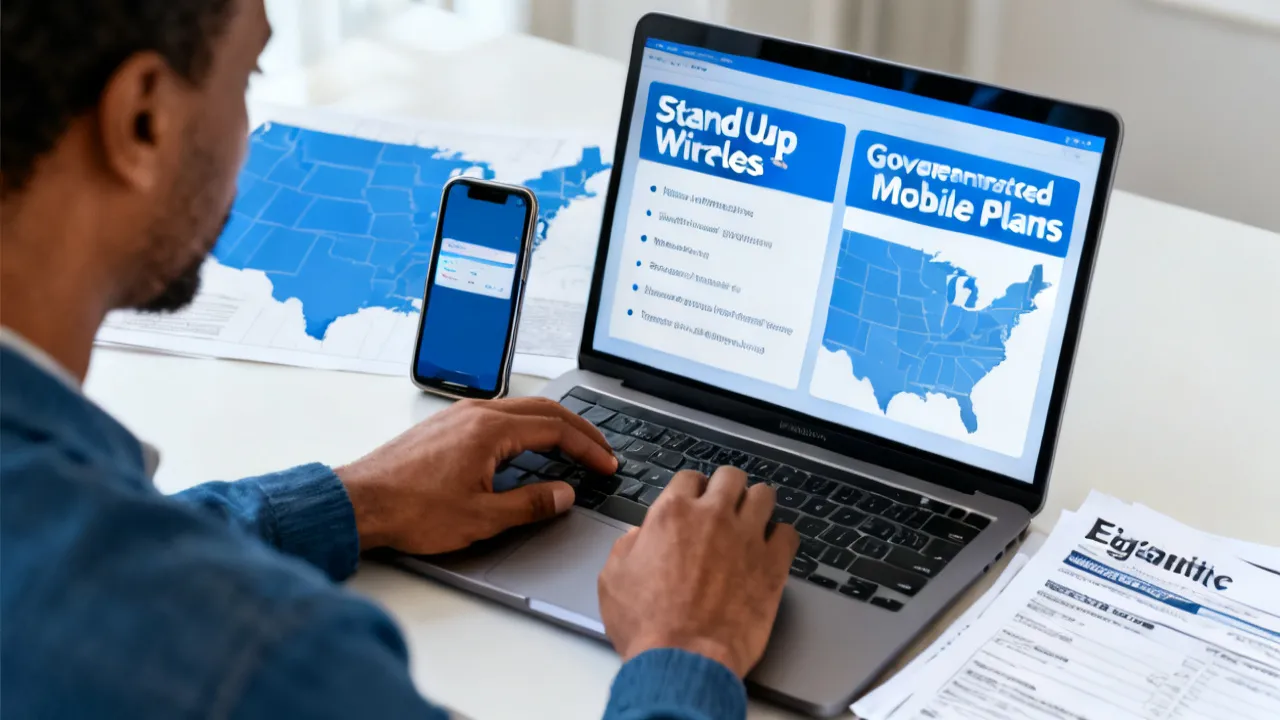
StandUp Wireless Phones are connected with government-supported mobile service for qualifying households, primarily through the federal Lifeline program. Depending on location, eligibility status, and available inventory, an approved applicant may receive a handset, use an eligible personal device, and obtain a mobile plan with voice, messaging, and data services. The exact offer is not identical in every state, and the provider may change plan details, device stock, network arrangements, or enrollment procedures.
The most important point is eligibility. A person generally must qualify through household income or participation in an approved assistance program. Lifeline eligibility is commonly based on income at or below 135% of the federal poverty guidelines, although state rules, Tribal benefits, household composition, and verification procedures can affect the assessment. The application normally requires identity, address, and eligibility documentation. Applicants should also understand that a government-supported benefit is generally limited to one Lifeline service per household, not one service per individual.
StandUp Wireless may present two principal device paths: a provider-supplied smartphone, when available, or a bring-your-own-device option. A compatible personal phone can be convenient, but compatibility, network support, unlocking status, and technical condition should be checked before enrollment. Premium handset upgrades, additional high-speed data, international calling, accessories, or replacement equipment may carry separate charges.
Program rules and commercial offerings can change. The Affordable Connectivity Program, or ACP, ended when funding was exhausted in June 2024. Therefore, descriptions of ACP-related benefits should be treated as historical information rather than a current promise. The Lifeline program remains the central federal benefit discussed in this guide, but applicants should verify the current status of every offer with the provider and the Universal Service Administrative Company’s official resources.
A qualifying phone plan can support many essential activities, including contacting employers, attending remote appointments, communicating with schools, accessing transportation applications, receiving public-benefit notices, and maintaining contact with family members. Nevertheless, applicants should not assume that the phrase “free government phone” describes a single nationwide product. It usually refers to a provider’s qualifying service offer, which may include a device only when inventory and local program terms permit.
StandUp Wireless operates as a participating wireless provider in selected markets. Its government-supported offers may include a smartphone or a bring-your-own-device pathway, talk and text service, and a defined data allowance. The plan available to one applicant may differ from the plan offered in another state. Coverage is also influenced by the underlying network, local infrastructure, handset compatibility, and terrain.
In practical terms, an approved customer should review the following before accepting an offer:
Descriptions such as “unlimited talk and text” should not be interpreted as proof that every plan has unlimited data or unlimited hotspot access. Marketing language can describe a broad product family rather than a particular state-level offer. A careful comparison requires reading the current plan terms shown during the application process.
Applicants should also distinguish between service availability and device availability. A provider can approve a customer for a qualifying wireless plan even when a particular smartphone model is temporarily unavailable. The customer may then be offered another handset, a delayed shipment, a bring-your-own-device option, or instructions for completing activation with an existing phone.
Plan information should ideally be saved before enrollment. A screenshot, downloaded terms page, or written confirmation can help the customer remember the promised monthly data amount, activation instructions, and any optional fees. This is especially useful when the offer contains several plan tiers or when the provider’s website displays location-specific information.
Lifeline is a federal program overseen by the Federal Communications Commission and administered operationally through the Universal Service Administrative Company, commonly known as USAC. Its purpose is to help eligible low-income consumers maintain access to communications services. A qualifying subscriber may apply the benefit to a participating wireless or wireline service, subject to program rules.
The program is not simply a general handset distribution system. The benefit is connected to an eligible service and an approved subscriber record. A device may be supplied by the provider, but the central qualification concerns the household and the service enrollment. Device availability can therefore vary even when an applicant satisfies the program’s eligibility requirements.
USAC’s Lifeline rules generally recognize two routes to eligibility:
Residents of qualifying Tribal lands may be eligible for additional Lifeline support or related Tribal benefits. Tribal eligibility has specific geographic and program rules, so applicants should use the official eligibility tools rather than rely on a general description.
Lifeline support is generally applied to one qualifying service. It is not normally paid directly to the applicant as unrestricted cash. The participating provider receives support under program rules and applies the benefit to the eligible service. This distinction matters because a person cannot ordinarily take a Lifeline benefit from one provider and apply it simultaneously to several unrelated accounts.
The program also includes safeguards intended to prevent duplicate enrollment and improper participation. Verification may involve government databases, identity checks, address checks, and documentation review. An applicant should provide truthful information and should not attempt to create separate applications by changing minor details or using multiple email addresses.
The following comparison summarizes the providers identified in the supplied reference material. These descriptions are broad and should not be treated as guaranteed offers. A provider’s plan, device selection, participating states, and optional charges may change. “Additional package costs” refers to possible charges beyond the standard qualifying offer, not a promise that every applicant will encounter them.
| Provider and official government phone plan website | Services that may be included | Additional package costs |
|---|---|---|
| SafeLink Wireless | Provider-supplied smartphone or bring-your-own-device enrollment; voice, messaging, and data benefits that vary by plan and state. | Premium device upgrades or additional data may involve a charge. |
| Assurance Wireless | An Android smartphone may be available, along with talk, text, and a specified data allowance. | Extra high-speed data and international calling options may be paid add-ons. |
| StandUp Wireless | A smartphone or bring-your-own-device route may be offered, together with talk, text, and a plan-specific data allowance. | Premium handset upgrades and additional data may cost extra. |
| Access Wireless | Voice, text, and limited high-speed data may be available through qualifying Lifeline service; historical ACP references may appear in older materials. | Data boosts and device upgrades may be offered for a separate fee. |
| True Wireless | A government-supported handset, voice service, and data plan may be available to approved applicants. | Higher-tier devices and additional data may be optional paid features. |
Source: The provider descriptions are based on the official websites listed below and the supplied reference information. Current availability must be checked directly with each provider.
source: www.safelinkwireless.com
source: www.assurancewireless.com
source: standupwireless.com
source: www.accesswireless.com
source: www.gotruewireless.com
Comparing providers can be useful, but applicants should avoid judging an offer solely by the brand name or advertised phone model. The strongest option for one household may be different from the strongest option for another because network coverage, customer support, state participation, data limits, and device compatibility differ. A plan with fewer included features may still be more practical if it works reliably at the applicant’s home, workplace, or medical provider.
Eligibility is determined by program standards and provider verification, not by a consumer’s need alone. Before beginning an application, it is useful to identify which qualification route applies and gather supporting documents.
For Lifeline, the household’s income generally must be at or below 135% of the federal poverty guidelines. The definition of household matters. A household is typically a group of people who live at the same address and share income and expenses. Multiple adults at one address may not automatically qualify for separate benefits. USAC’s one-per-household rule is intended to prevent duplicate participation.
Applicants should use the current income table published by USAC or the National Verifier. Thresholds can change annually, and Alaska and Hawaii use different amounts from the contiguous states. A state may also apply additional administrative requirements. If an applicant is uncertain about how household income is calculated, the safest approach is to ask the National Verifier or the provider for clarification before submitting documents.
Income can include wages, self-employment earnings, unemployment benefits, pensions, Social Security payments, and other sources recognized under the applicable rules. The documentation request may depend on the information already available through electronic verification. Applicants should not guess at figures or omit a source of income simply because it is irregular. If income fluctuates, the official application instructions should explain which period or records must be used.
Participation in one of several public assistance programs can provide an alternative qualification route. Programs commonly associated with Lifeline include:
Participation must normally belong to the applicant or a qualifying household member, and the program record must be current or otherwise acceptable under verification rules. A benefit card or approval notice may be useful evidence, but the provider or National Verifier determines which documents are accepted.
Not every public benefit creates automatic Lifeline eligibility. For example, a local charity program, a temporary community discount, or a private insurance plan may not be one of the approved qualifying programs. When in doubt, applicants should consult the current USAC eligibility list instead of relying on an advertisement, social-media post, or informal advice.
An application generally requires information sufficient to establish the applicant’s identity and residence. Depending on the situation, this may include a government-issued identification document, proof of address, proof of program participation, or income records. The exact list can differ according to the verification result.
Applicants should enter names, dates of birth, addresses, and identification numbers consistently. Small differences—such as a changed surname, an apartment number omitted from one record, or a typographical error—can delay verification. Documents should be clear, current where required, and uploaded through the official application channel rather than sent to an unverified third party.
People who do not have a conventional lease or utility bill should review the accepted-document list carefully. Alternative proof may be available in some circumstances, but the applicant must use documents authorized by the program. A shelter resident, person experiencing homelessness, student, or individual living temporarily with relatives may need special instructions about establishing a service address.
The application process can vary by state and provider, but the following sequence reflects the usual structure of a Lifeline enrollment.
Applicants should save confirmation numbers, approval notices, plan descriptions, and customer-service correspondence. These records can be useful if an application is delayed or if the initial offer differs from what was displayed during enrollment.
Use only official contact channels during the process. If a representative calls unexpectedly and asks for a payment, password, or verification code, stop the conversation and contact the provider through the telephone number or website listed in the official application materials. A legitimate representative should be able to explain the request and identify the account or application associated with it.
A provider-supplied handset may be the simplest route for someone who wants a single application and activation process. It may arrive configured for the relevant network and may include basic support. However, the available model can be limited, and stock may change without notice.
Bring-your-own-device enrollment can be attractive when the applicant already owns a functioning smartphone. It may preserve personal contacts, photographs, accessibility settings, and familiar applications. The main risk is compatibility. A device that works on one carrier may not operate on the network used for the StandUp Wireless offer.
Before selecting BYOD, check:
An expert recommendation is to complete the compatibility check before transferring a number or cancelling existing service. A failed compatibility check can leave an applicant without a working connection if the old service is terminated too early.
Before moving a phone number, back up contacts, photographs, authentication applications, and important messages. Some services use a phone number for account recovery or two-factor authentication. If the number is transferred without updating those accounts, the customer may have difficulty signing in later.
Applicants should also inspect the phone’s battery, charging port, screen, microphone, speaker, camera, and operating-system support. A device can pass a basic network check and still be inconvenient if the battery fails quickly or the operating system cannot run essential applications. If a provider phone is refurbished, review the provider’s replacement or warranty terms.
The qualifying service may have a defined benefit, but optional products can create charges. The very common examples include premium handsets, extra data, international calling, replacement equipment, and certain accessories. These are not necessarily required for enrollment.
A consumer should distinguish between a government benefit and a commercial upgrade. The benefit may support the basic qualifying plan, while an upgraded device or enhanced package is purchased separately. Before agreeing to a charge, ask:
Consumers should be cautious about any person who demands payment to submit a Lifeline application or promises guaranteed approval. Official enrollment normally requires accurate eligibility information, not a fee to “reserve” a benefit. If a message requests sensitive information through an unfamiliar link, verify the website address independently.
Ask for a complete price before accepting an upgrade. A device may be described as low-cost while shipping, processing, insurance, or accessory charges are added later. Customers should understand whether an optional payment is refundable, whether an order can be cancelled, and whether a device purchased through an upgrade can be used with another provider.
Mobile service performance depends on more than the provider name. Signal strength varies by neighborhood, building materials, network congestion, terrain, and the capabilities of the handset. Rural applicants, residents in mountainous areas, and people who work inside large buildings may experience different results from those shown on a coverage map.
Plan data also deserves careful attention. A plan may include a monthly high-speed allowance and then reduce speeds, restrict certain uses, or suspend data until the next billing period. Some offers distinguish between on-device data and hotspot data. Video streaming, software updates, navigation, and social media can use data quickly, particularly when automatic updates are enabled.
To manage a limited allowance, users can:
Hotspot service deserves special attention. A phone may support hotspot functionality as a technical matter while the plan limits or excludes it. Connecting a laptop or tablet can consume the monthly allowance more quickly than ordinary phone use. Customers who need internet access for job applications, classes, or telehealth should ask specifically about hotspot terms rather than assuming it is included.
Emergency communications should be considered separately from ordinary service expectations. A phone may be able to place an emergency call in some circumstances, but users should not assume that every location, handset, or account condition will perform identically. Keep important numbers available offline and follow local emergency guidance.
Lifeline participation is subject to ongoing verification. A customer may need to recertify eligibility, respond to notices, or confirm continued participation. Failure to complete a required step can result in the benefit being discontinued.
Service-use rules may also apply. Providers can require periodic use of the qualifying service. The exact definition of use and the notice process should be reviewed in the provider’s current terms. Customers should not assume that receiving a handset alone is enough to preserve an active account.
Keep the provider informed when appropriate about changes that could affect the account, such as a move, a change in name, or a change in eligibility. If two people in the same household are receiving benefits, the household should review the one-per-household rule and contact the program administrator if circumstances have changed.
Customers should monitor letters, email messages, and account notifications. A recertification notice can have a deadline, and ignoring it may lead to de-enrollment even if the customer remains eligible. Keep login information secure, but make sure a trusted person can help manage notices when the account holder has limited internet access or a disability.
Phone service can be particularly important for applicants who have disabilities, limited transportation, or ongoing medical needs. When choosing a handset, review features such as enlarged text, screen magnification, hearing-aid compatibility, voice control, captions, emergency contacts, and battery accessibility. An inexpensive phone is not useful if its controls cannot be operated comfortably.
A Lifeline account belongs to the approved subscriber and must be used according to program rules. Family members may use the phone for ordinary household communication, but another person should not apply for a second benefit by misrepresenting the household. If a caregiver helps manage the account, the account holder should understand what information is being submitted and what changes are being made.
For households with children, parents should review application permissions, location settings, in-app purchases, and data consumption. Government-supported service does not necessarily include unlimited data, and applications can create unexpected charges when connected to a payment method. Remove stored payment information when it is not needed.
A delayed application does not necessarily mean the applicant is ineligible. It may indicate that automatic records do not match the submitted information or that additional evidence is needed. Read the notice carefully and submit only the requested documents through the designated channel.
If an application is denied, identify the reason before reapplying. Common issues can include an incomplete document, an address mismatch, an unverified program record, a duplicate household benefit, or failure to meet the income threshold. Correcting the underlying issue is more effective than submitting repeated applications with the same information.
Applicants can contact the provider for plan-specific questions and USAC or the National Verifier for program-verification questions. If an individual believes a decision was made in error, the official program may provide an appeal or dispute process. The relevant notice should explain the available procedure and deadline.
When contacting support, prepare the application reference number, the applicant’s name, the date of submission, and a description of the problem. Do not send an entire collection of unrelated personal documents unless support specifically requests them. Ask the representative to explain what action is required and when it must be completed.
StandUp Wireless Phones should be compared with other providers on practical criteria rather than device appearance alone. SafeLink Wireless, Assurance Wireless, Access Wireless, and True Wireless may serve different states, use different networks, and present different data allowances or device inventories.
A useful comparison includes five dimensions:
Device branding is usually less important than compatibility and reliability. An older but compatible phone with a strong battery may serve a customer better than a newer model that does not work well in the local coverage area. Likewise, an advertised data quantity should be evaluated in relation to the applicant’s actual needs, such as telehealth, schoolwork, job searches, transportation, or family communication.
Before switching providers, determine whether the existing account is already receiving a Lifeline benefit. A consumer generally cannot maintain two simultaneous benefits in the same household. The customer may need to authorize a transfer, complete a new verification, or confirm that the old service has ended. Cancelling service without understanding the transfer process can create an avoidable interruption.
Applications involve sensitive information. Consumers may be asked for identity details, income information, or public-benefit records. Use the official provider domain or the USAC National Verifier rather than a link received through an unsolicited message.
Warning signs include:
Use a secure internet connection when uploading documents, retain copies of submitted materials, and avoid sharing verification codes. If identity theft is suspected, contact the provider and the relevant government agency promptly.
Public computer users should sign out of the application account, clear downloaded copies of identity documents, and avoid allowing a browser to save passwords. Applicants should also be cautious when using assistance kiosks. Help from a community organization can be legitimate, but the applicant should remain present and review every form before it is submitted.
Older provider pages and comparison articles may mention the Affordable Connectivity Program. ACP participation historically used a broader income threshold of up to 200% of the federal poverty guidelines and included qualifying assistance routes. However, the ACP ended in June 2024 after the program’s funding was exhausted. It should not be presented as a currently available benefit without an official announcement establishing a replacement.
The historical ACP information remains relevant when evaluating older application guides, archived advertisements, or previous plan descriptions. It also explains why some provider materials may refer to combined Lifeline and ACP benefits. Consumers should rely on current USAC and provider notices for present eligibility and plan information.
An applicant should be especially cautious of advertisements that use old ACP language but appear to offer a currently available enrollment. An archived page may accurately describe a former program while being misleading if it does not clearly identify the end date. Current Lifeline eligibility should be evaluated separately from historical ACP eligibility.
From a telecommunications policy perspective, the top application strategy is careful verification rather than speed. Before submitting an application for StandUp Wireless Phones, confirm the following:
| Check | Why it matters |
|---|---|
| Current Lifeline eligibility | Income thresholds and qualifying programs must be evaluated under current rules. |
| One-per-household status | Duplicate enrollment may cause rejection or later termination. |
| State availability | Provider plans and device offers differ by market. |
| Identity and address documents | Clear, consistent records reduce verification delays. |
| Phone compatibility | A BYOD handset must work on the provider’s supported network. |
| Plan limits and optional charges | Data boosts, upgrades, and international features may be billed separately. |
| Recertification and usage rules | Ongoing compliance may be required to retain the benefit. |
| Customer-support process | Knowing how to obtain help can reduce the impact of activation or account problems. |
| Number-transfer plan | Planning the transfer helps prevent loss of access to important calls and authentication messages. |
StandUp Wireless Phones are handsets offered, where available, through StandUp Wireless qualifying mobile-service programs. An approved customer may receive a provider handset or use a compatible personal device. The device and plan depend on state, eligibility, inventory, and current provider terms.
Applicants may qualify through household income or participation in an approved program such as Medicaid, SNAP, SSI, or qualifying federal housing assistance. Lifeline income eligibility is generally based on 135% of the federal poverty guidelines. The applicant must satisfy the current official rules and pass verification.
Usually, Lifeline allows only one benefit per household. A household is generally defined by shared income and expenses, not simply by the number of adults at an address. If household circumstances are unusual, consult USAC or the provider before submitting another application.
Not necessarily. Device supply can vary by location and inventory. Some approved applicants may be offered a handset, while others may use a compatible personal phone. The provider’s current offer determines what is available.
Possibly. Bring-your-own-device enrollment depends on whether the phone is unlocked, compatible with the relevant network, and accepted by StandUp Wireless. Run the provider’s compatibility check before transferring service.
The qualifying offer may cover designated services, but optional upgrades can involve charges. Examples include premium devices, additional data, international calling, replacement equipment, shipping, or accessories. Review the current terms before accepting an optional package.
Depending on the verification route, the applicant may need identity documentation, proof of address, income records, or proof of participation in an approved assistance program. The National Verifier or provider will specify acceptable documents.
Processing time varies. Automatic verification may be faster than a case requiring manual document review. Missing information, inconsistent records, or high application volume can cause delays. Follow the instructions in any verification notice and retain the confirmation number.
Read the stated reason, correct any documentation or information problem, and use the available appeal or dispute process when appropriate. Contact the relevant official support channel rather than paying an intermediary who promises approval.
The Affordable Connectivity Program ended in June 2024 after its funding was exhausted. Older articles may describe ACP benefits, including the former 200% income threshold, but those descriptions are not evidence of a current enrollment opportunity. Confirm current programs through USAC and the provider.
A move may require an address update or a new service-area review. Contact the provider and follow the program’s instructions. Do not assume that a plan available at the previous address is available at the new one.
Begin with the official StandUp Wireless website or the USAC National Verifier. Avoid unofficial application pages that request payment, promise guaranteed acceptance, or ask for unnecessary personal information.
Number transfer may be possible, but it depends on the old account, the new provider, and the technical details of the transfer. Do not cancel the old service before the transfer is complete. Keep the old account active, have the account information available, and confirm that the new phone can make and receive calls after activation.
Contact StandUp Wireless through its official support channel as soon as possible. The replacement process, applicable fees, and available device options are determined by current provider terms. Do not purchase a replacement SIM or handset from an unknown seller without checking whether it will work with the account.
International use depends on the plan, device, network, and destination. Some plans may not include international roaming, while international calling may be an optional feature. Ask the provider before traveling or making international calls to avoid unexpected restrictions or charges.
StandUp Wireless Phones can be an important connectivity option for households that meet Lifeline requirements, but the offer should be evaluated as a regulated benefit combined with a provider-specific mobile plan. Eligibility, state availability, device inventory, network coverage, data limits, and optional charges all matter. The most reliable process is to verify qualification through official channels, submit accurate documentation, confirm the device route, and read the plan terms before activation.
Other providers—including SafeLink Wireless, Assurance Wireless, Access Wireless, and True Wireless—may present alternative offers. No single provider is the top fit for every applicant. Comparing coverage, compatibility, support, data policies, and current enrollment conditions can help consumers make a more informed decision.
Applicants should approach the process with realistic expectations. Approval for Lifeline does not guarantee a particular smartphone model, a specific data amount, or identical service quality in every location. It does provide a pathway to qualifying communications service when the household meets the rules and the provider has an available offer. Careful documentation, attention to deadlines, and direct communication with official program resources can make the process easier and help prevent avoidable account problems.
The information above comes from online resources, and the data is as of October 2023. Program rules, provider offers, eligibility standards, device inventories, and service terms may change. This website cannot guarantee that applicants will definitely get a government affordable phone. For specific application requirements and instructions on how to obtain it, please refer to the official requirements of the provider. This website is not updated in real time.
The discussion of the Affordable Connectivity Program reflects its historical status and should not be interpreted as an offer of current ACP enrollment. Applicants should confirm Lifeline rules, current income thresholds, provider participation, and plan details through official sources before sharing personal information or accepting service.
Striking the Perfect Balance: Navigating Premiums and Out-of-Pocket Expenses in Senior Insurance Plans

Explore the Tranquil Bliss of Idyllic Rural Retreats

How to Make Lasting Memories at Disneyland Attractions

Affordable Phones and Plans for Seniors

Affordable Full Mouth Dental Implants Near You

Unlock the Top Kept Secrets to Finding Your Ideal Dentist for Flawless Dental Implant Results!

Discovering Springdale Estates

Unveiling RS Sul Telecom Services

The Guide to Car Trading

Affordable Phones and Plans for Seniors
Discover the top deals on new phones and plans tailored for seniors, including discounts on 5G technology and unsold models.

Affordable Cell Phones Without Plans
Discover affordable cell phones for sale without plans, exclusive discounts for seniors, and tailored mobile plan options in your area.

Navigating Government Phone Programs
This guide provides an expert analysis of government-supported phone programs for eligible individuals, offering insights into available providers and their services. Affordable phones are often a necessity for individuals under economic constraints, aiding in communication, job searches, and access to emergency services. The article delves into eligibility criteria, application processes, and compares popular service providers in various regions.

Unlocking the Top Cell Phone Deals
Discover unbeatable cell phone discounts, plans, and offers for seniors and iPhone enthusiasts without contracts.

Navigating Affordable Phone Offers
Discover the essential details about government-assisted phone programs aimed at providing budget-friendly devices to eligible individuals. These programs offer complementary mobile phones and services to qualified beneficiaries, ensuring connectivity at minimal expense. This guide breaks down how to access such benefits and what conditions apply.

How to Apply for a Affordable Phone
This guide provides insights on how to apply for a affordable phone through government-sponsored programs. Understanding how these programs operate and their eligibility requirements is essential. These initiatives aim to support individuals in low-income households or those enrolled in specified government assistance programs by providing basic communication tools.
