This guide explains how Intuit Payroll supports payroll accuracy, compliance readiness, and smoother payroll workflows. It provides an objective overview of the role payroll platforms play in employer operations, including pay run timing, tax administration considerations, and data handling. Readers will learn practical selection factors, operational conditions, and common questions to reduce errors and improve consistency.
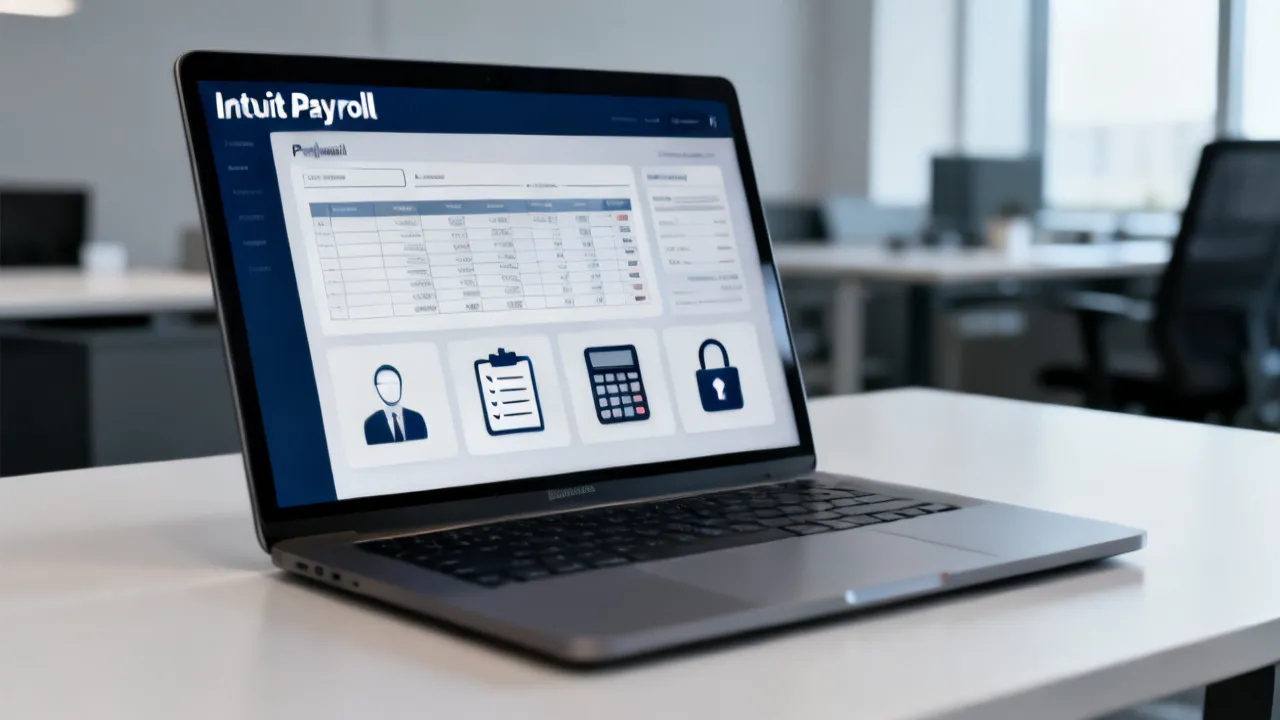
Intuit Payroll is designed to help employers run payroll with structured pay runs, organized employee pay details, and workflow controls that support consistent payroll processing. If you’re evaluating a payroll solution, the decision typically comes down to how reliably the system handles pay frequency, employee data management, pay period cutoffs, and the documentation trail needed for audits and internal review.
From an industry-operations standpoint, payroll is not just “calculations.” It’s a regulated workflow with deadlines, integration points (like time tracking or accounting tools), and controls to prevent errors that can be costly in time, employee trust, and compliance risk. Intuit Payroll aims to streamline that workflow so that HR and finance teams spend less time on repetitive tasks and more time on oversight and exception handling.
For employers, the practical question is rarely whether a payroll system can compute wages—it’s whether the system can help your organization run payroll the same way every cycle, even as staffing changes, roles evolve, and payroll deadlines tighten. A payroll platform should make your process easier to repeat and easier to verify. When payroll is repeatable, the quality improves: fewer corrections, faster reconciliations, clearer employee communication, and stronger audit readiness.
When evaluating Intuit Payroll, consider not only what the software does, but how it changes the day-to-day behavior of your team. A good system reduces the amount of tribal knowledge required to run payroll. It makes your procedures more explicit and less dependent on one or two individuals. That is where many employers find that “value” is created—through reliability, standardization, and reduced operational churn.
In day-to-day operations, payroll management involves more than producing payslips. It includes:
Payroll platforms like Intuit Payroll are used because they standardize these workflows. Still, employers remain responsible for ensuring the inputs—such as employee changes and work hours where relevant—are correct and timely.
To understand payroll management at a practical level, it helps to separate payroll into three operational layers: (1) data, (2) workflow, and (3) outputs.
1) Data layer: Employee records, pay rates, deduction settings, tax categories, and pay types (hourly, salary, commission, tips, etc.) are data. If this layer is inconsistent, the payroll run will reflect those inconsistencies. Even if the calculations are correct, payroll may be “correctly wrong,” which is common in operational problems—especially when data changes are entered late or entered inconsistently across systems.
2) Workflow layer: How those data updates are collected, reviewed, approved, and submitted before a pay run is where payroll systems either reduce risk or inadvertently create confusion. This includes cutoffs, approval steps, responsibilities, and escalation paths when exceptions arise.
3) Outputs layer: Payroll outputs include checks or direct deposit results, pay stubs, employer tax reports, payroll registers, and reports used by accounting to reconcile expenses. If outputs are difficult to interpret or reconcile, your payroll “completion” moment is delayed—often until finance can map payroll totals to the general ledger.
When employers say they want to “manage payroll better,” they often mean improving all three layers at the same time: stronger data accuracy, tighter process control, and outputs that are easier to reconcile and communicate.
Professionals typically adopt payroll software when they want a repeatable system for pay runs and reduced manual handling. In practical terms, Intuit Payroll often functions as a centralized payroll workflow hub where organizations can manage employee details, run payroll for each pay period, and review payroll outputs before finalization.
For many employers, payroll is a cross-functional process involving HR, accounting, operations (time and attendance if applicable), and sometimes executives who need visibility into labor costs. Intuit Payroll is most valuable when it fits naturally into that cross-functional workflow.
From an operational-controls view, the very valuable features are usually those that:
Structured pay run steps matter because payroll errors often occur at handoff points: an employee is updated after the payroll run has been initiated, a pay rate is changed without confirming whether it applies to the current or next period, or a deduction setup is missing for a new hire. When a system provides explicit stages (review → confirmation → processing), it can reduce accidental mistakes and give reviewers a clearer “moment of truth” before payroll becomes final.
Similarly, pay date versus check date ambiguity can become a reconciliation problem. Some accounting systems and reporting practices group payroll by pay period, while bank deposit activity might occur on a different date. Employers need consistent labeling so that labor expenses are recorded to the correct period. A payroll system that helps clarify these differences reduces manual adjustments and prevents “off-by-one-period” issues that can complicate month-end close.
Finally, reporting that supports both HR and finance is a major workflow advantage. HR needs information to communicate with employees (for example, why deductions changed or why a wage rate reflects a mid-cycle update). Finance needs reports to reconcile payroll totals and support journal entries. When these outputs are aligned, payroll stops being a back-and-forth exercise between teams.
You asked for price information and supplier details to be integrated seamlessly. Because payroll pricing is typically tiered and may vary by plan, location, and employer profile (e.g., number of employees, frequency, and add-on services), the very responsible approach is to avoid stating unverified numbers. Instead, evaluate pricing using a “total payroll operations” lens: subscription fees plus implementation effort plus the operational time saved by reducing manual correction work.
Supplier perspective: Intuit is the supplier behind Intuit Payroll. In many organizations, the selection decision is not purely about sticker cost; it’s about whether the payroll process becomes more predictable, less error-prone, and easier to reconcile with accounting workflows.
To operationalize “total payroll operations,” consider breaking costs into several categories rather than focusing only on subscription price.
In many organizations, the hidden cost of payroll is not the software—it’s the time spent correcting payroll mistakes or reconciling payroll outputs back to accounting. Even a modest reduction in correction work can justify a higher plan tier, if that tier includes better controls, reporting, or workflow options.
Employers can also evaluate “value” in a softer way by measuring improvements in cycle time and confidence. For example, if your team currently waits until later in the week to confirm payroll totals, a system that provides clearer reporting and a stronger audit trail might let you confirm totals earlier, reducing last-minute stress and enabling more consistent month-end close.
Another dimension of value is employee experience. Payroll errors and unclear payslip explanations can create repeated questions, especially during tax season or when deductions change. If a payroll system helps produce consistent pay stubs and supports clearer recordkeeping, it can reduce the number of tickets HR must handle.
If you’re assessing Intuit Payroll, focus on factors that reflect real payroll risks:
To expand on these decision factors, it can be helpful to think about common “failure modes” in payroll operations:
Failure mode A: Schedule mismatch. Some organizations operate on semi-monthly pay, but the internal labor reporting (time tracking, cost accounting, or budgeting) is prepared monthly. If the payroll system makes it hard to map pay periods to accounting periods, reconciliation becomes manual and error-prone.
Failure mode B: Mid-cycle changes applied incorrectly. Payroll errors frequently happen when wages, department assignments, or deductions change partway through the pay period. Employers need a robust method for determining whether updates should apply immediately or start with the next period, and the system must support that operational decision.
Failure mode C: Incomplete approvals. A payroll run is a financial event. If the process lacks a clear “approval checkpoint” before processing, errors can be submitted too late to correct easily.
Failure mode D: Reporting that doesn’t match your close process. Even if payroll is correct, if reporting doesn’t support finance’s mapping to ledger accounts, your close cycle becomes slower.
Failure mode E: Poor audit trail. Audits and disputes are real. When employees ask why their pay changed, or when internal reviews require evidence of what was processed, employers benefit from a clear record of inputs, approvals, and actions taken.
When you evaluate Intuit Payroll, ask how the platform supports reducing these failure modes. A system is not “good” because it has many features; it’s good because it supports the controls and clarity you need for your organization’s specific payroll patterns.
The following section complements the main discussion and turns it into a clear checklist. It is intentionally practical, so you can map your current payroll responsibilities to what a payroll platform typically requires.
| Area | What You Compare | Why It Matters |
|---|---|---|
| Pay schedule | Can Intuit Payroll match your biweekly/semi-monthly/monthly cadence? | Misalignment can cause timing confusion and reconciliation issues. |
| Employee onboarding | How are new hires set up (pay rate, pay types, deductions)? | Correct setup reduces rework and payroll correction entries. |
| Mid-cycle changes | What process ensures wage/deduction changes are applied to the correct pay period? | Late or incorrect changes are a common payroll error source. |
| Review controls | Does your team have a consistent “pre-run review” step? | Controls help catch errors before processing becomes final. |
| Documentation | Can you produce an audit trail for what was processed and when? | Useful for internal audits and employee dispute resolution. |
To make the checklist more actionable, consider what “good” looks like in each area. For example, in pay schedule, “good” means your system can show pay period start and end dates, payroll submission cutoffs, and resulting pay dates clearly enough that your team can plan inputs around those dates without guessing.
For employee onboarding, “good” means the process for gathering onboarding information is consistent. New hires frequently bring data dependencies: tax forms, deduction selections, direct deposit information, and correct pay type. If onboarding information is collected across departments in an inconsistent way, payroll runs become reactive. A payroll system can help, but it cannot replace operational process discipline.
For mid-cycle changes, “good” means you have a defined internal method for determining when changes should apply. Consider creating a policy such as: if an HR update is received by a specific day/time, it applies to the current pay run; otherwise, it applies to the next pay period. This policy needs to be communicated to HR and also to managers who submit time or wage change requests.
For review controls, “good” means pre-run review includes both data validation and logic validation. Data validation ensures employee records are correct; logic validation ensures the payroll system applies wages and deductions as expected (for example, verifying hours are applied to correct pay types, verifying overtime settings for hourly workers if applicable, and verifying deduction eligibility rules).
For documentation, “good” means you can demonstrate what happened without reconstructing the story manually. That includes approvals, timestamps, and the ability to reproduce or explain payroll outputs if a dispute arises.
Where payroll accuracy, reporting, and compliance obligations are discussed, the very reliable references are official tax and regulatory guidance and standard industry practices. For general tax and employer obligations, consult official governmental resources such as the IRS for federal tax topics and applicable state tax agencies for state-level requirements. For employment and wage payment principles, consult relevant labor authorities or legal counsel where needed.
Employers should treat payroll as both an operational workflow and a compliance discipline. Policies can vary widely by jurisdiction, pay schedule rules can interact with local compliance requirements, and deductions can have specific eligibility requirements. Because laws evolve, any payroll operations plan should be reviewed periodically, especially if your company expands to new states or hires under different employment classifications.
Additionally, internal controls should not rely solely on human memory. The strongest payroll organizations combine software workflow controls with written procedures that capture how changes should be handled, how cutoffs are communicated, and how exceptions are escalated.
Below is a structured, step-by-step approach that reflects how payroll rollouts are typically managed in professional finance/HR operations. Adjust the sequence to your organization’s governance and internal controls.
To ensure this implementation guide is truly usable, consider adding practical detail to each step. Many payroll issues stem not from the software configuration itself, but from unclear responsibilities during implementation.
Step 1: Define ownership and approval flow. Ownership should be mapped to the payroll lifecycle: employee data changes, time and attendance ingestion (if applicable), payroll run review, payroll submission, and payroll finalization. Approval flow should specify who has the authority to approve payroll and whether approvals are role-based or person-based. Role-based approvals can reduce operational risk if staff turnover occurs.
Step 2: Prepare employee data. Data preparation typically includes verifying employee identifiers, verifying pay types (hourly vs salary), confirming base pay rates, validating deduction setups, and reviewing tax configuration inputs. This is also the phase to identify employees with special cases—such as unusual deduction arrangements, multiple job assignments, or history-based adjustments. The goal is to surface exceptions early so that they can be tested in the first cycle.
Step 3: Confirm pay schedule settings. During this step, validate pay period start and end dates, check dates, and pay dates. If your organization has a specific payroll cutover time (for example, “by 5:00 PM local time two business days before the pay date”), ensure that operational policy matches what the payroll system expects. Then create an internal calendar so stakeholders know when they must submit changes.
Step 4: Establish “change windows.” Change windows are operational policies, but payroll systems often depend on them indirectly. If you allow too much late data entry, payroll quality decreases. A well-designed change window balances real-world needs with operational stability. For example, some wage changes might require earlier cutoffs than address changes, and termination processing might have its own rules. Your change windows should reflect that reality.
Step 5: Run a controlled first cycle. A controlled first cycle means you do not only run payroll—you also validate. Validation might include checking a subset of employees manually (especially those with unique deduction or pay type), verifying that hours are applied correctly (if time tracking is integrated), and confirming that payroll totals match expected ranges. This is also a good time to check reconciliation reports and understand where exceptions appear.
Step 6: Reconcile outputs with accounting practices. Reconciliation is where payroll systems either fit smoothly or become a burden. Ensure that the payroll output includes the data categories finance needs. Decide what reports or totals will become the basis for ledger postings and how those totals will be mapped. If the payroll system provides multiple reporting formats, test them during the first cycle so finance does not discover mapping problems after payroll has been processed.
Step 7: Document your operating procedure. A short internal SOP is often more effective than long documentation. The SOP should include your payroll calendar, your change window policy, the pre-run review checklist, who approves payroll, and what to do when exceptions occur. It should also include a list of known common issues and how to handle them. This reduces the risk that an unfamiliar team member will make avoidable mistakes.
Step 8: Train stakeholders. Training should not be generic. It should be focused on the exact screens, reports, and actions that your team will use. Provide training scenarios: what to do if a deduction change is entered late, what to do if a manager requests an adjustment after payroll submission, and how to identify errors before finalization.
Step 9: Set a cadence for post-run review. Post-run review is where continuous improvement happens. After the first few cycles, analyze corrections: what types of errors occurred, how often, and whether the errors were due to data issues, cutoffs, or review gaps. Then adjust your SOP and change windows accordingly.
Even with a payroll platform, problems usually arise from process gaps rather than software limitations. Common challenges include:
Let’s expand on each challenge with examples of what “risk” looks like in a real employer environment.
Inconsistent data entry. Example: HR enters pay rates in one format or with one set of rounding rules, while finance expects another. Or time reports from operations include different job codes than the payroll system expects. Even small mismatches can lead to pay discrepancies that are hard to explain. A practical way to reduce this risk is to create standard definitions: job codes, pay types, deduction categories, and rounding policies should be documented and governed.
Unclear cutoffs. Example: A manager changes an employee’s hours after the internal payroll submission deadline. In a manual system, HR might catch this by reviewing an inbox. In a software system, late changes might simply never be included. The fix is not only “communicate the cutoff,” but also set the cutoff in the operational workflow so that managers have visibility and can plan their approvals earlier.
Insufficient pre-run review. Example: Review happens but is incomplete—someone checks totals but not deduction categories, or someone checks employee count but not pay type logic. The result is “late surprises.” A strong pre-run review checklist should include both high-level totals and targeted validation for changes made since the last pay run. The checklist should also prioritize employees with known exceptions.
Weak reconciliation habits. Example: Finance reconciles only after payroll is processed and employees notice the issue. This delays correction and increases stress. Reconciliation is strongest when it is built into the payroll workflow: immediately after the payroll run output is available, finance compares payroll totals to expected labor expense categories and investigates variances while the process is still fresh.
Another challenge many employers face is change fatigue: the more complicated payroll becomes (new deductions, new pay types, integrations), the more likely the process is to drift away from the SOP. That is why documented procedures and periodic training refreshers matter. Even a reliable system can be undermined by inconsistent operational behavior.
Employers can also reduce risk by building a “knowledge base” of corrections. If payroll corrections repeatedly involve the same reason—like late wage change requests—then the operational solution is likely to update training or change windows rather than repeatedly fixing payroll after the fact.
In mature payroll operations, the strongest improvement often comes from governance: who is responsible for which inputs, how exceptions are handled, and how reviews are performed. Intuit Payroll can support the operational workflow with structured steps and centralized processing, but the organization still needs disciplined internal controls.
From an expert operations perspective, the top outcomes typically appear when teams:
To make these control practices more concrete, consider a control mindset that is typical in finance operations. Controls often include:
A checklist is an example of a detective control. If a reviewer checks the same set of items consistently, they are less likely to miss an issue. Documenting “what changed” between pay cycles helps reviewers focus: they do not have to re-check everything for every cycle; they focus on what has changed since last run.
Reconciliation is both a detective and corrective control. If reconciliation includes variance analysis, it can detect issues early and guide corrective actions before payroll becomes final or before month-end close is complete.
Repeatable onboarding is a preventive control. Many payroll errors occur because onboarding steps were incomplete. If the company introduces a new employee but does not collect the payroll-critical information in a structured way, payroll systems will still attempt to process but may use incomplete defaults. Repeatable onboarding reduces this risk.
Finally, a controls-first approach helps with scaling. As headcount grows, payroll process complexity grows too. Without controls, scaling increases error probability. With controls, scaling is more manageable.
Intuit Payroll is used by employers to run payroll for their employees, manage payroll processing workflows, and organize payroll-related outputs for review and reporting. The exact capabilities can depend on plan configuration and employer setup.
In practice, employers typically use payroll software to reduce the operational burden of preparing payroll, maintaining employee pay data, calculating wages and deductions, and producing reports and pay statements. When configured well, the system also supports the internal workflow needed for approvals and audit readiness.
Very transitions focus on preparing accurate employee data (pay rates, pay types, deductions), defining internal deadlines for changes, and establishing a review/approval workflow for pre-run checks.
Preparation often includes data cleanup and normalization: ensuring pay rates are stored consistently, making sure deduction categories match those expected in payroll, and verifying that employee status changes (hire/term/role changes) are entered with enough lead time to apply correctly to the intended pay period.
Common review areas include employee pay inputs, deduction settings, pay period alignment, and any changes made during the cycle. The goal is to confirm that the payroll inputs match the intended pay outcomes.
Review is typically strongest when it includes both a high-level scan (totals and employee counts) and a targeted scan (employees who had changes). Many employers create a “changes list” between pay runs and focus review attention on those employees first, then validate totals for the full population.
In many organizations, changes can be made mid-cycle, but they must be timed appropriately so they apply to the correct pay period. Your internal cutoff process is critical to ensure changes are reflected accurately.
To reduce confusion, employers can define a clear policy on how late changes are handled. For example, if wage changes come after the payroll cutoff, they may apply to the next pay run unless there is an explicit exception approval. This policy reduces inconsistent outcomes and prevents “I told HR on Monday” disputes.
Payroll platforms are designed to support standardized payroll processing workflows and reporting outputs. However, employers remain responsible for meeting their legal obligations. For tax and regulatory questions, rely on official guidance and, when necessary, qualified professional advice.
From a practical standpoint, compliance support often means that the software provides structured output and repeatable processes rather than improvised calculations. Still, employers should remain vigilant regarding local tax rules, wage payment obligations, and employee classification requirements.
Ideally, the payroll outputs are structured enough to support finance reconciliation. Establish your reconciliation approach early (for example, comparing payroll totals and accounting categories) and refine it during the first few cycles.
Reconciliation can include mapping gross wages, employer payroll taxes, and any deductions or reimbursements to ledger accounts. It can also include verifying that payroll totals align with the payroll period your accounting team uses for accruals. Clear alignment reduces month-end adjustments and improves close speed.
Effective operation usually requires accurate employee data, consistent change management, clear payroll cutoffs, a repeatable approval workflow, and documented SOPs so payroll processing remains consistent over time.
Additionally, effective operation requires stakeholder alignment. HR, operations, and finance must understand their roles and the deadlines for providing data. Without that alignment, even the best payroll software will be fed incomplete or late information.
Intuit Payroll can be a practical choice for organizations seeking more structured payroll processing. Yet the highest value comes when the software is paired with strong operational controls—clear cutoffs, accurate employee data, reliable pre-run reviews, and consistent reconciliation habits.
If you’re planning an evaluation, treat the decision as a workflow fit assessment: confirm your payroll schedule needs, employee setup complexity, reporting requirements, and internal governance. With that approach, your payroll operations are more likely to become consistent, reviewable, and easier to manage over time.
Ultimately, predictable payroll is a combination of system capability and human process maturity. When you implement payroll with disciplined workflows—where responsibilities are clear, changes are controlled, reviews are consistent, and outputs are reconciled—payroll becomes less stressful for HR and finance and more trustworthy for employees. That is the operational outcome most employers are seeking, regardless of the software brand.
As payroll complexity increases—more employees, new locations, new pay types, additional deductions—the value of predictable workflow design grows. Employers that treat payroll as a controlled, auditable process rather than a periodic calculation tend to experience fewer disruptions and faster close cycles. Intuit Payroll is one tool in that broader system-of-work, and its success depends on how well it integrates into your operating model.
Striking the Perfect Balance: Navigating Premiums and Out-of-Pocket Expenses in Senior Insurance Plans

Explore the Tranquil Bliss of Idyllic Rural Retreats

How to Make Lasting Memories at Disneyland Attractions

4rkojvsx Technology: Industry Insights and Buying Guide

Affordable Phones and Plans for Seniors

Affordable Full Mouth Dental Implants Near You

Unlock the Top Kept Secrets to Finding Your Ideal Dentist for Flawless Dental Implant Results!

Discovering Springdale Estates

Unveiling RS Sul Telecom Services

A Practical Guide to Intuit Payroll Setup and Use
This guide explains how Intuit Payroll supports payroll accuracy, compliance readiness, and smoother payroll workflows. It provides an objective overview of the role payroll platforms play in employer operations, including pay run timing, tax administration considerations, and data handling. Readers will learn practical selection factors, operational conditions, and common questions to reduce errors and improve consistency.
